
参考视频
FRPS安装
下载对应安装包
解压
上传到自己的目录
FRPS配置
编辑配置文件 frps.toml
# www.xnwmw.com 个人使用
bindPort = 7000   #服务端口
vhostHTTPPort = 40800   #http端口
vhostHTTPSPort = 40443   #https端口
auth.token = "123456789" # 客户端与服务端连接的密钥
webServer.addr = "0.0.0.0"  #服务器IP
# 服务端web管理页面端口以及账号密码
webServer.port = 7500
webServer.user = "admin"
webServer.password = "admin123"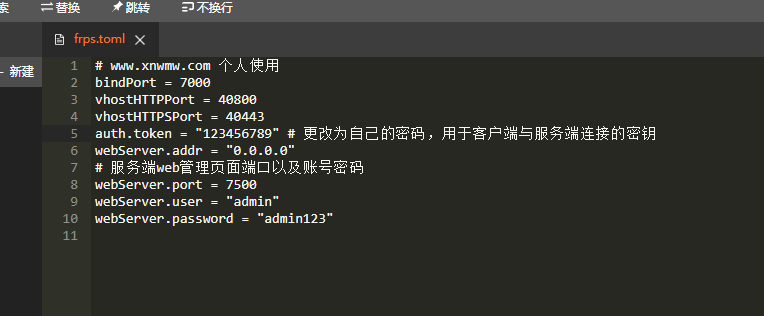
启动测试
./frps -c ./frps.toml成功后配置启动
cd /etc/systemd/system 创建 frps.service 文件
[Unit]
# 服务名称,可自定义
Description = frp server
After = network.target syslog.target
Wants = network.target

[Service]
Type = simple
# 启动frps的命令,需修改为您的frps的安装路径
ExecStart = /opt/frps/frps -c /opt/frps/frps.toml

[Install]
WantedBy = multi-user.target
使用 systemd 命令管理 frps 服务
# 启动frp
sudo systemctl start frps
# 停止frp
sudo systemctl stop frps
# 重启frp
sudo systemctl restart frps
# 查看frp状态
sudo systemctl status frps
# 开机自动运行
sudo systemctl enable frps
FRPC客户端
不支持注释(去除#号注释的内容 否则穿透失败。注释是表明每行含义)
#服务器IP
serverAddr = "x.x.x.x"
#服务端口
serverPort = 7000
#验证方式
auth.method = 'token'
#密匙和服务器那边一致
auth.token = "123456789"

[[proxies]]
#名称不能重复
name = "web_xp_http"
#模式https/http/tcp等
type = "http"
#本地服务IP(用不到就删除,就是局域网内非frpc服务器)
localIP = "127.0.0.1"
#本地服务端口
localPort = 13005
#域名
customDomains = ["xp.xnwmw.cn"]
本地https加载
以下在0.61版本试过 正常的
[[proxies]]
name = "web2_https"
type = "https"
customDomains = ["halo.xnwmw.cn"]
[proxies.plugin]
type = "https2http"
localAddr = "127.0.0.1:4000"
crtPath = "/volume1/docker/frp/ssl/xnwmw.cn/fullchain.pem"
keyPath = "/volume1/docker/frp/ssl/xnwmw.cn/privkey.key"
hostHeaderRewrite = "127.0.0.1"
requestHeaders.set.x-from-where = "frp"
反向代理
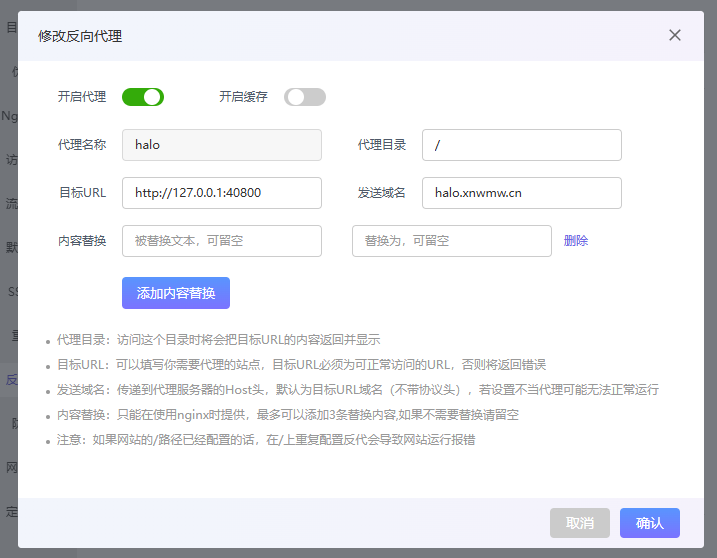
服务端FRPS vhosthttporp 不是80/443的才需要
在FRPS服务器端安装 nginx
本地端口转发到FRPS的端口
vhostHTTPPort = 40800   #http端口
vhostHTTPSPort = 40443   #https端口
nginx用80端口反向到
vhostHTTPPort = 40800   #http端口
vhostHTTPSPort = 40443   #https端口
就完成了80/443直接访问FRP对应转发到内网的端口